Text & subtitles (C-Play v2.2 and newer)
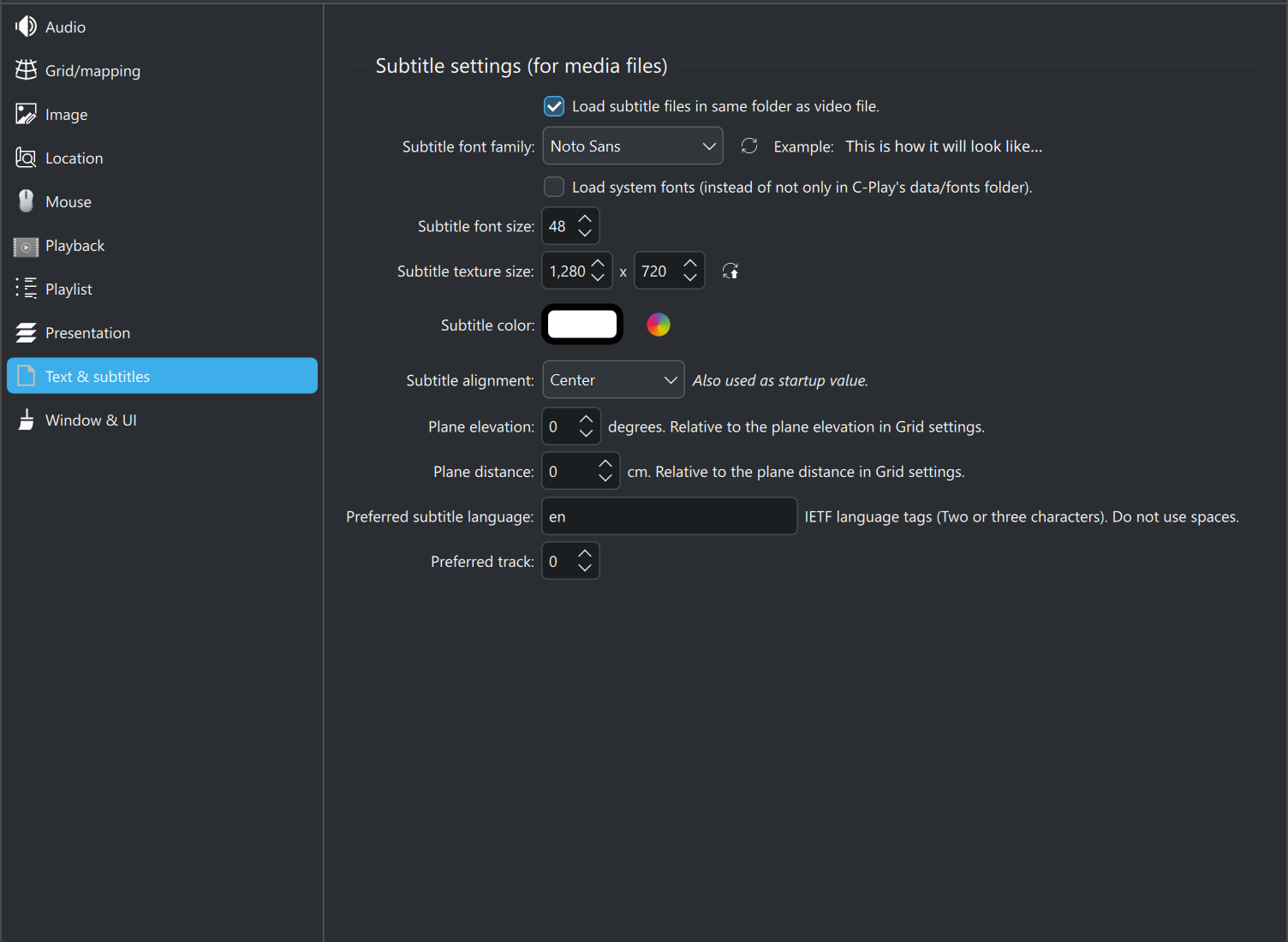
These settings control how subtitles and on-screen text are rendered in C-Play. Changes are applied immediately and saved to the configuration file.
Font
- Font family — Select the font used for subtitle rendering from the dropdown. By default, only bundled fonts are listed. Click “Update Font List” to refresh available fonts.
- Load system fonts — When enabled, system-installed fonts are included in the font list alongside the bundled fonts.
- Font size — Size of the subtitle text in points (0–500, default 48).
A preview of the selected font is shown below the font controls.
Color and alignment
- Subtitle color — Click the color rectangle to open a color picker and choose the subtitle text color. The current color is shown as a hex code (default
#FFFFFF). - Alignment — Choose between Left, Center (default), or Right text alignment.
Texture / render size
The subtitle text is rendered to an internal texture before being composited onto the video. You can control the resolution of this texture:
- Width — Texture width in pixels (32–8192, default 1280).
- Height — Texture height in pixels (32–8192, default 720).
Click “Update text texture/render size” to apply resolution changes.
Higher values produce sharper text at the cost of more GPU memory. Match these to your output resolution for best results.
Plane positioning
These settings adjust where the subtitle plane is positioned in 3D space relative to the current grid mapping:
- Elevation — Vertical offset in degrees (-360 to 360, default 0). Useful for moving subtitles up or down relative to the dome/sphere grid.
- Distance — Distance offset in centimeters (-20000 to 20000, default 0). Moves the subtitle plane closer to or further from the viewer.
Subtitle loading
- Load subtitle files in video folder — When enabled (default), C-Play automatically loads
.srtand.asssubtitle files found in the same directory as the currently playing video. - Preferred language — IETF language tag(s) for the preferred subtitle language (e.g.
eng,ger). Multiple tags can be comma-separated. - Preferred track — Preferred subtitle track number. Set to 0 for automatic selection.