C-Play : Cluster Media Player
C-Play is a video/media player developed for cluster environments where you need multiple computers and/or displays to run your content on. The displays could be flat or curved in any setup that is supported by our underlying toolkit SGCT and any media format supported by MPV.
Latest Release Version: 2.3
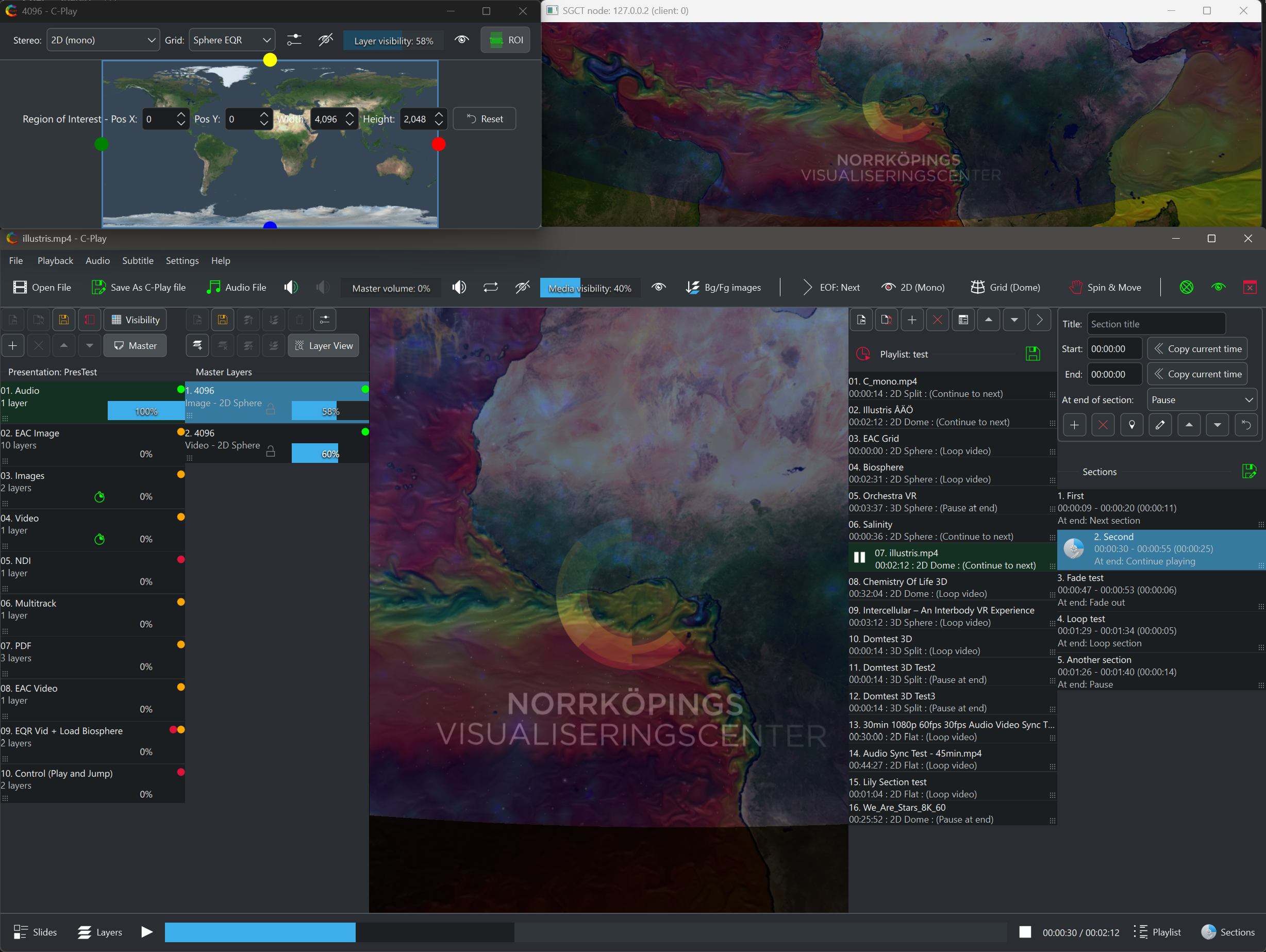
Content features
These are just some features that set C-Play apart from other media and video players:
C-Play supports media that is:
-
Stereoscopic (Side-by-side or Top-Bottom) and Monoscopic
-
180 fulldome / fisheye
-
360 equirectangular or equiangular cubemap (common on YouTube)
-
Any “flat” media with arbitrary aspect ratio
Primary media, such as video and images, is easily opened and configured through playfiles and added to playlists for a standard media player setup. An additional powerful feature in C-Play is the presentation tool, where you can add an arbitrary number of layers within slides using numerous inputs, such as:
-
Images (PNG, JPG, TIFF, WEBP etc)
-
PDF (Common export format from PPT)
-
Videos (H264, HEVC/H265, AV1/H266, VP9 etc)
-
Audio (WAV, AAC, MP3 etc)
-
NDI, OMT or Spout (Video/audio over network or applications.)
-
Streams (YouTube etc supported through FFmpeg)
-
Text (With custom font, also used for subtitles.)
With the layer types above, you can make it almost as easy as using PowerPoint to create an immersive presentation.
Technical features
-
Runs a Qt/QML UI application on the master computer and a small non-UI GLFW/SGCT application on the nodes/clients.
-
Sync playback, loading and other properties between master and clients.
-
Playing audio is usually performed on master (Support for node audio is added in 2.2). Change of audio output is supported, and C-Play is pre-built with “JACK”, which opens for multi-channel low-latency output to for instance ASIO devices.
-
Loading external audio files as multiple tracks.
-
Editing and saving playlists and playfiles including all necessary parameters.
-
Configure “sections” in an editor to create bookmarks for jumping between clips inside a larger movie.
-
C-Play nodes can run on top of other applications. On the master, viewing your video or a layer on a secondary monitor is also simple and requires no extra decoding resources.
-
HTTP Web API, so you can integrate control of C-Play into a custom system.
-
REST Commands (HTTP and WebSockets) to control other application, such as OBS Studio which C-Play then can receive content from.
-
Tested and used on Windows 10/11, in domes and other big arenas.
Guides
- Install C-Play
- Setup C-Play
- Media structure
- Settings
- Playback features
- Remote control
- Build from code
Launcher
To launch the application on master+nodes, we use our own application called C-Troll.
Backend
C-Play is an open source cluster video player, based on these open source projects:
- SGCT - Our own simple graphics cluster toolkit
- LibMPV - command line video player, using FFmpeg
- FFmpeg - The one and only video decoder/encoder
- Haruna - Qt/QML UI for MPV
Optional libraries in current C-Play builds include:
- NDI - Support frame-synced NDI streams, video and audio
- OMT (Open Media Transport) - Support frame-synced OMT video and audio streams
- Poppler - For rendering PDF pages
- SAIL - For more extensive image decoding
License
C-Play is licensed under the GNU General Public License v3.0
Contact
For any questions or further information about the C-Play project, erik.sunden@liu.se.