Audio settings
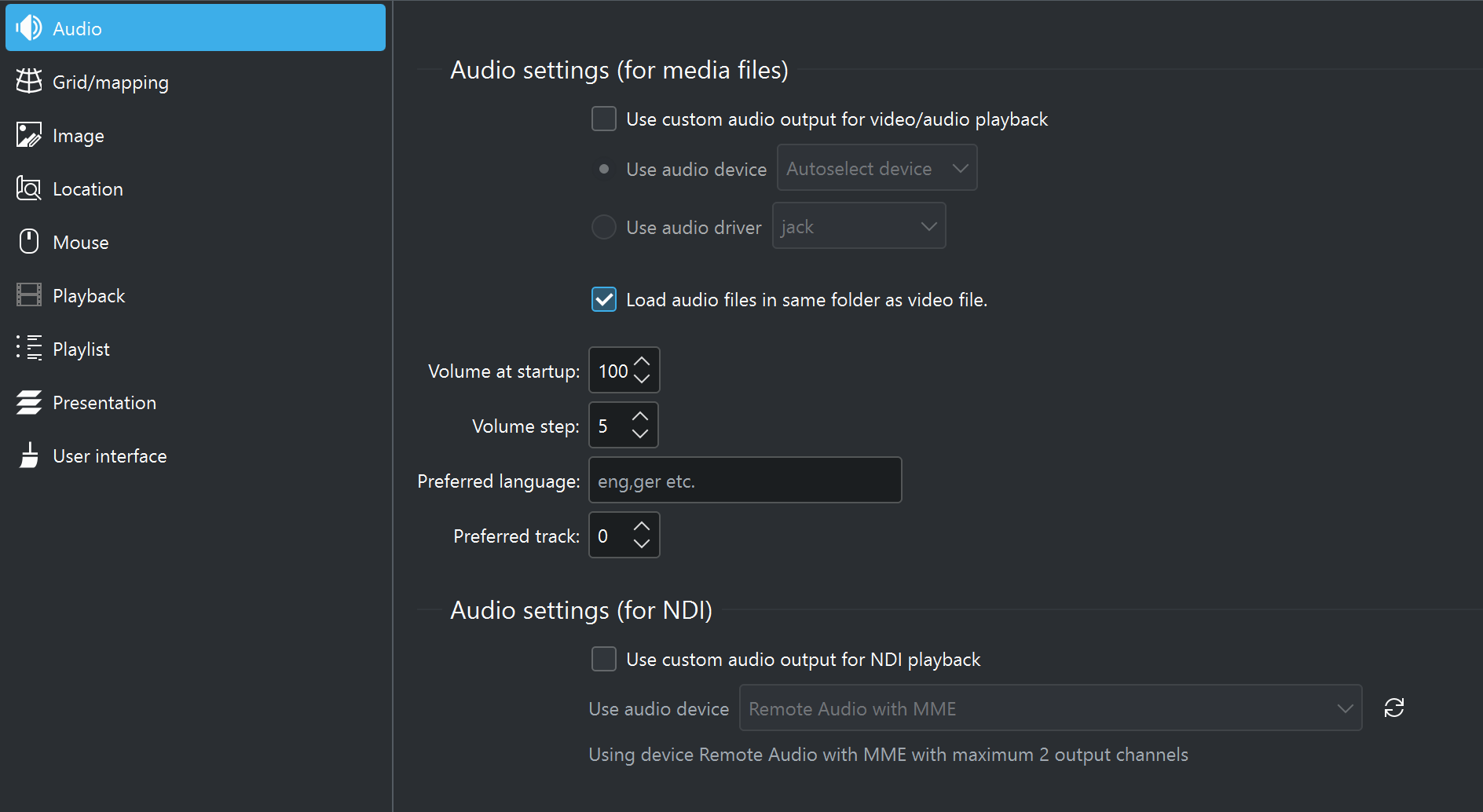
The audio settings within C-Play let you configure audio output devices, volume behavior, and track preferences.
General
- Enable audio on master — Enable audio playback on the master application (default on).
- Enable audio on nodes — Enable audio playback on cluster nodes (default off).
- Volume at startup — Initial volume level when C-Play starts (0–100, default 100).
- Volume step — How much the volume changes per increment in the UI (0–100, default 5).
Audio output
If “Use custom audio output” is not selected, C-Play uses the system default audio device.
- Use custom audio output — Enable manual selection of audio output (default off).
- Use audio device — Target a specific audio device from the detected list.
- Use audio driver — Target an audio driver instead (jack, openal, oss, pcm, pulse, wasapi).
- Preferred audio output device — The selected device name.
- Preferred audio output driver — The selected driver name.
For multi-channel audio setups such as JACK, see the Audio configuration guide.
Audio track preferences
- Load audio files in same folder — Automatically load adjacent audio files as additional tracks when opening a video (default on).
- Preferred language — IETF language tag for preferred audio track language (e.g.
eng,ger). - Preferred track — Preferred audio track number. Leave at 0 for automatic selection.
NDI/OMT audio output (requires NDI and/or OMT support)
Video and/or audio over network is supported through NDI and/or OMT as a layer within a slide.
These settings are specific to NDI and/or OMT audio output.
- PortAudio custom output — Enable a custom PortAudio device for NDI and/or OMT audio (default off).
- PortAudio output device — Select the PortAudio output device.
- PortAudio output API — Select the PortAudio host API.
- Mix input to output — Mix NDI and/or OMT audio input directly to the selected output (default off).
- Output channels — Number of audio output channels: 2.0, 2.1, 5.0, 5.1, 7.0, or 7.1 (default 6 / 5.1).